This is a true story that comes from experience gathered from a journey named: “let’s stick with the standard functionality”. It is funny although it makes some people (our clients and developers) almost cry.
For the legacy product I am working on we have created a migration routine to move the Data from a custom table to Document Attachments as those provide a standard way of uploading files and keep them in Business Central. We did so as we wanted to keep aligned to standard process as much as possible and to reduce our footprint on the Standard functionality but also to avoid conflicts and confusion. We thought this was a good idea. Unfortunately, ideas do not always turn out to be the best or the most complete choices because of unforeseen factors.
So how can you attach the file to an entity in Business Central? Rather simple. Just go to the entity that contains the Attachments Factbox and simply select the file to attach:

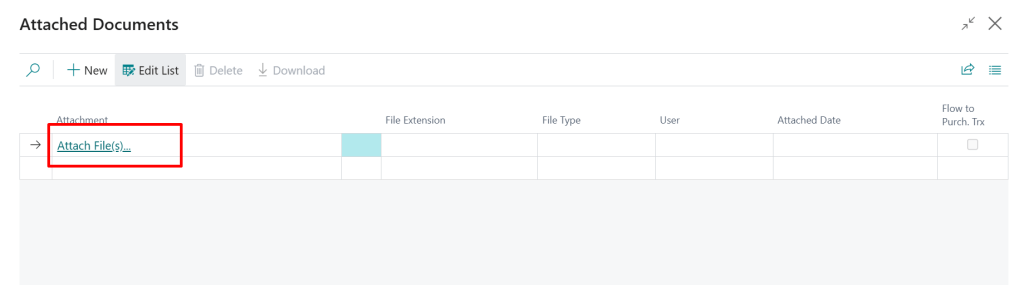
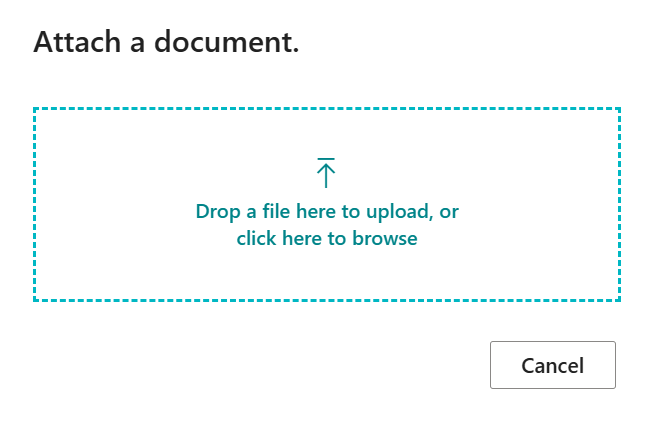
Quite straight forward, isn’t it? Pretty simple and neat process on the first sight. There are however some pitfalls. Let’s assume that file size does not seem to be a limiting factor and up to 350MB can be uploaded at once – theoretically. The file size is not in my focus for the time being. There is also a limitation that does not seem to be documented well about which file types can be uploaded to the Media field and which file types are blocked. For example, *.exe file is not allowed to be uploaded. In the case of *.exe file the error would appear during import. This is also not in focus of this post.
Technically speaking, we were trying to switch from a BLOB field to a Media Field.


So, a batch job should make sure that the field content is moved from a BLOB to a Media field. But this batch was crashing with no indication of the reason and the Event Viewer did not say too much.


At the end we found out that some attachments have a content that crashes the client for unknown reason. I was expecting the error if for whatever reason the file cannot be uploaded. For the moment we can only skip migrating BLOBs to media field for the problematic files and that would be much easier if we could catch the error. As we cannot catch the error at the moment we are stuck to manually try/crash process when processing ca. 100k files. Yes, this can make some people cry. 🙂
If you want to try to kill you WebClient – for fun purposes only – here is the simple repro:
- Open Purchase Invoice List
- Click on the Attachment counter on the customer factbox.
- Attach this seamlessly benign file. This is a 1pixel high jpeg file from a newsletter.
- The client crashes.
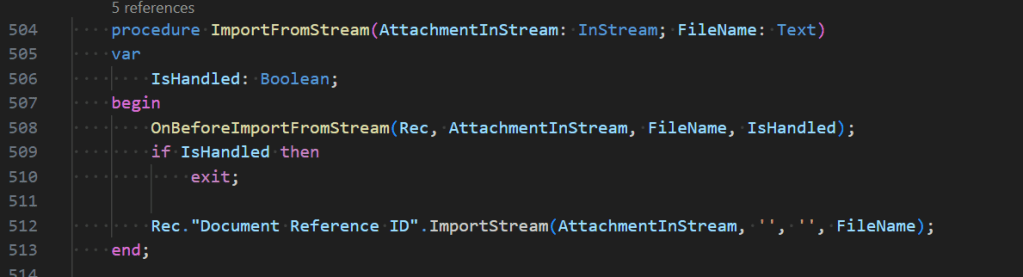
The crash happens on the line 512 of the Document Attachment Table.
At this moment the support case has been opened and I am waiting for response. If you have any inputs on the behaviour, please let me know in the comments. I am really hoping to make our customers smile instead of crying or even worse shouting. 🙂


