If you’ve ever tried to introduce conditional page breaks in Word layouts for Business Central, you already know: it’s a troublesome path filled with hacks, quirks, and a bit of wizardry. Recently, I had an interesting conversation about this topic, so let me share the insights in blog form.
The Question
A fellow developer asked:
“Is it possible to add a conditional page break in a Word layout? I want to add a boolean on the request page and, when enabled, print each record on a new page.”
Sounds simple, right? Unfortunately, not in the world of Word layouts.
First Impressions: Word Is Not That Flexible
My first reaction was that page breaks are indeed possible, and I see two scenarios:
- When you need a new page for specific line in a Word table (hacky, messy, and rarely worth it).
- When you want to start a major report section on a new page conditionally, which is somewhat achievable, though painful.
Word layouts don’t give us the fine-grained control RDLC does (with its inception-like rectangles-inside-tables-inside-rectangles). Instead, you have to exploit a Word feature that isn’t designed with Business Central in mind.
The Trick: Page Break Options in Word
The “magic spell” I’ve used is actually documented by Microsoft:
👉 Line and page breaks – Microsoft Support
Specifically, the “Page break before” option on paragraphs. This can be applied in Word layouts to force sections onto a new page.
Example 1: Standard Sales Invoice
Here’s the baseline: the normal Sales Invoice report printed with a standard Word layout.
Example 2: Page Break Before Second Line
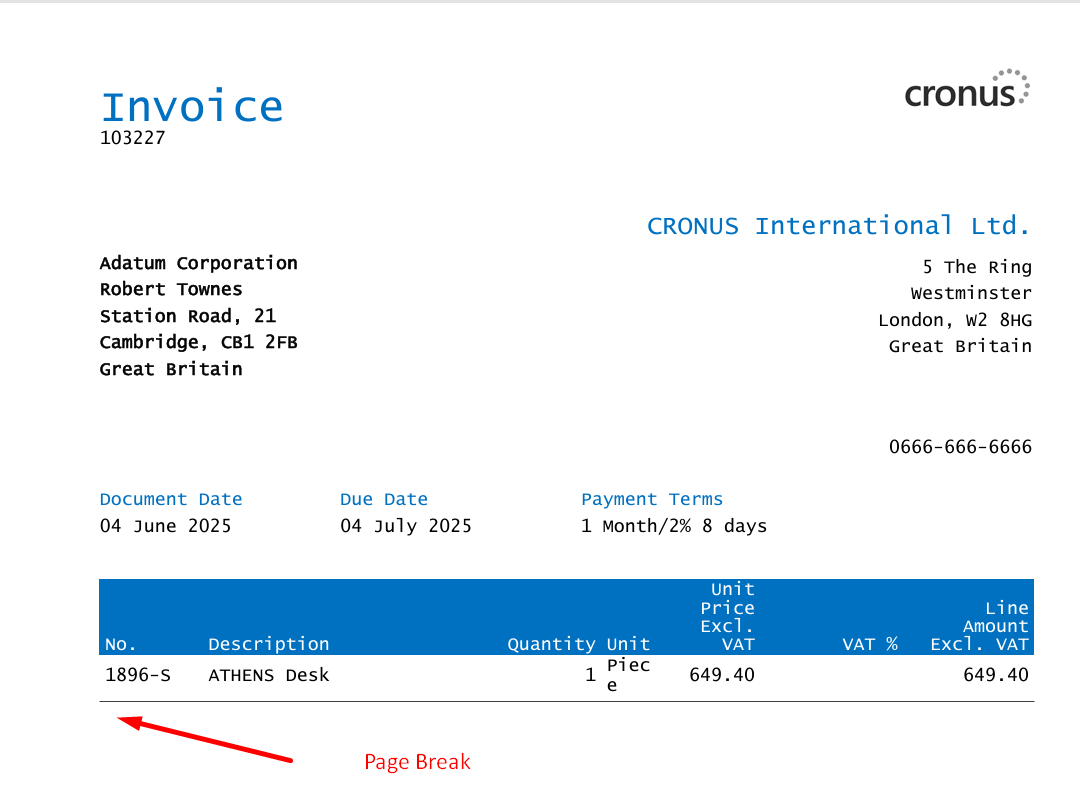
Now let’s go extreme: we add a page break before second line in the invoice.
That means polluting your dataset with artificial data items. Possible, but ugly. We decided against this approach.
Example 3: Page Break After Totals
This is the scenario we actually use in production. After all invoice lines are printed, the totals section starts on a fresh page.
It works, but with one major drawback:
each time you edit the Word layout, the “Page break before” setting might disappear and has to be reapplied.
This looks like a Word bug rather than a Business Central issue. Yes, you could insert a hard page break, but then you’d risk blank pages when nothing to print for this block exist.
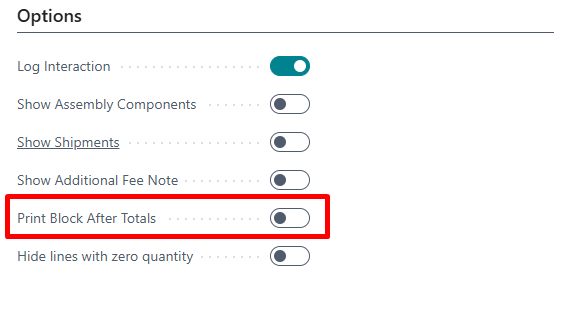
Here is the example with the same layout but when there is no content in the example table, thus the extra table should not be printed out:
Lessons Learned
- New page per line:
Technically possible but ugly. To fix it, you’d need to add new datasets. That means polluting your dataset with artificial structures. Not worth it.
- Page break after totals (or final sections):
This is what I actually use. After printing all invoice details, content should start on a fresh page. However, the drawback is present: each time you edit the Word layout, the “Page break before” setting might reset and has to be reapplied. It does look like a Word issue, not Business Central’s fault.
- Normal page breaks:
You can always insert a hard page break, but then you risk empty white pages if the section you’re breaking before has no data. And in Word layouts, one of the goals is to avoid unnecessary white space.
Why Is It So Hard?
Because Word wasn’t built for this. It’s a text processor, not a report engine. Unlike RDLC (with its inception-like containers and properties), Word layouts impose the limitations of paper formatting in a digital-first world. And if you push Word too hard, it breaks — sometimes literally (I’ve managed to create a Word layout so broken it wouldn’t even save anymore).
Where Do We Go From Here?
Conditional page breaks are a normal request. Imagine invoices, statements, or reports where some sections need to start on a new page — but only if they exist. Right now, it’s either hacks, fragile Word features, or overengineered datasets.
So here’s the open question:
👉 Should Business Central provide native support for conditional page breaks in Word layouts?
I’d love to hear thoughts from the community or even better from Microsoft.
Code Example on GitHub
If you’d like to explore this further (and see a working sample), I’ve published a starter project on GitHub: https://github.com/miljance/WordDynamicPageBreak
It includes example code and layouts you can use to experiment with dynamic page breaks in your own Business Central reports.
Final Thought
Maybe the real lesson here is that we should rethink the whole concept of “printing” in a digital-first world. Do we still need to replicate the constraints of paper layouts when most reports are consumed digitally?
Until then, if you want conditional page breaks in Word layouts — grab your wand, brush up on your Hogwarts spells, and be prepared for some trial and error.
 Miljan's Blog