
You might remember the post about Fast Price Entry that I have written back in January 2023. Or not. I was not completely satisfied with the solution I created back then. I decided to do something more.
So, what is this post about? It is about the new feature named New sales pricing experience for Business Central. The feature was announced in November 2020. It should replace the pricing mechanism that we have been used to for decades. The new pricing mechanism should have replaced the old one probably somewhere around April 2022. But Microsoft is reluctant to enforce the New sales pricing experience. I am not 100% sure about the reasoning. However, I guess that among other factors, the new feature is still lacking in Usability and UX.
Well, my goal is to do something about it. From my point of view, a major drawback of the new pricing mechanism is its cumbersome process. Mass editing, importing, and exporting of prices in the new module is very difficult. Some would even say it is impossible. That is a big drawback for customers. They are operating with hundreds of thousands of items. They might even have 10x more prices.
First of all, the code I have prepared is on location: https://github.com/miljance/QuickPrices.
What is in the package? In Total 5 AL objects.

A new action on Item Card and Item List allows a user to call a worksheet page. This page resembles the one from the old pricing mechanism. You can use this new worksheet page to export the prices to Excel. Edit them in Excel, and then import them back into Business Central from Excel.
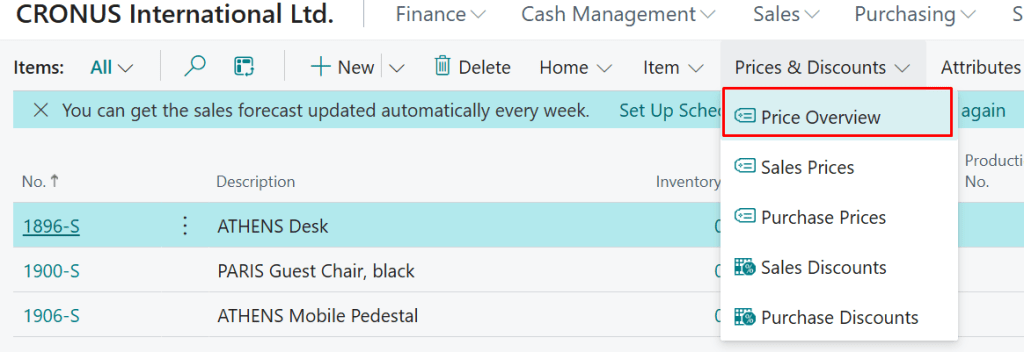
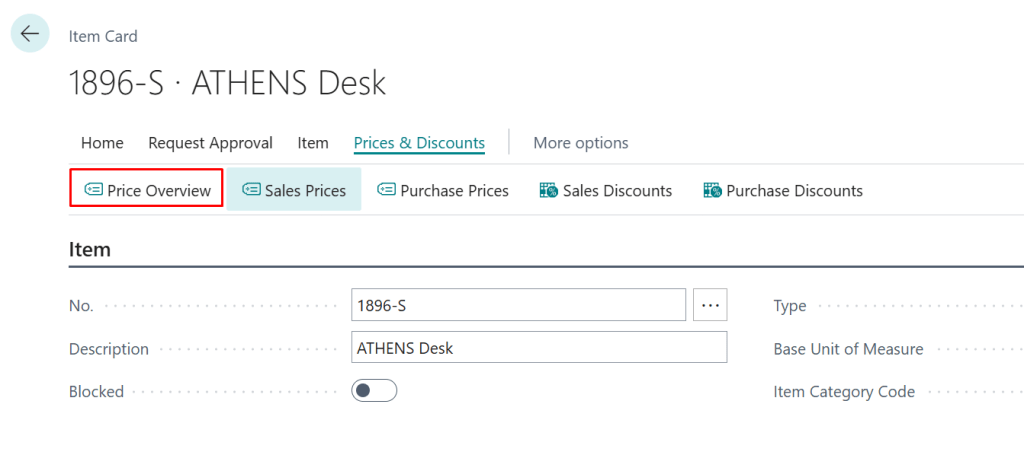
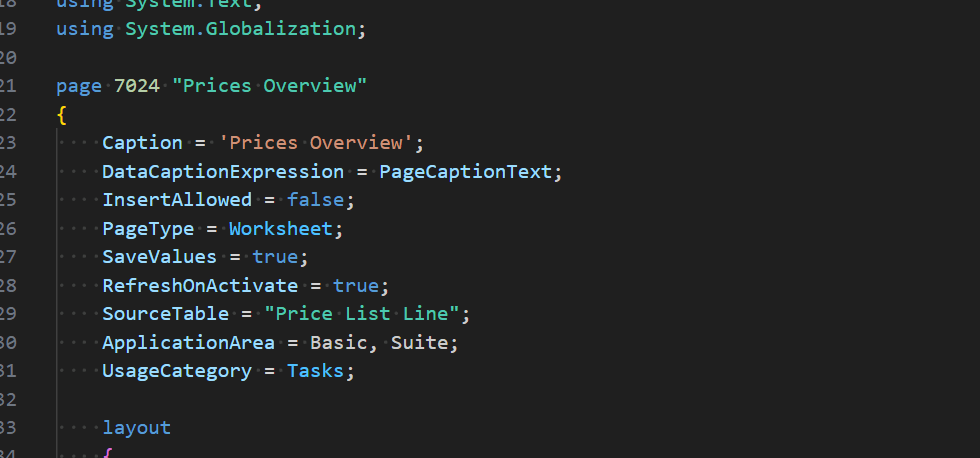
As a model for the page, I have used a page that Microsoft is shipping in the Base App:
I took over the Microsoft page. I adapted it to be called “Item Prices Overview.” It is now focused on items. After the Page is opened from Item it is automatically filtered on selected item. We can drop the filter on item and have the worksheet for all items or filter using different criteria. We can edit the prices or export them to Excel using the standard functionality “Open in Excel”.
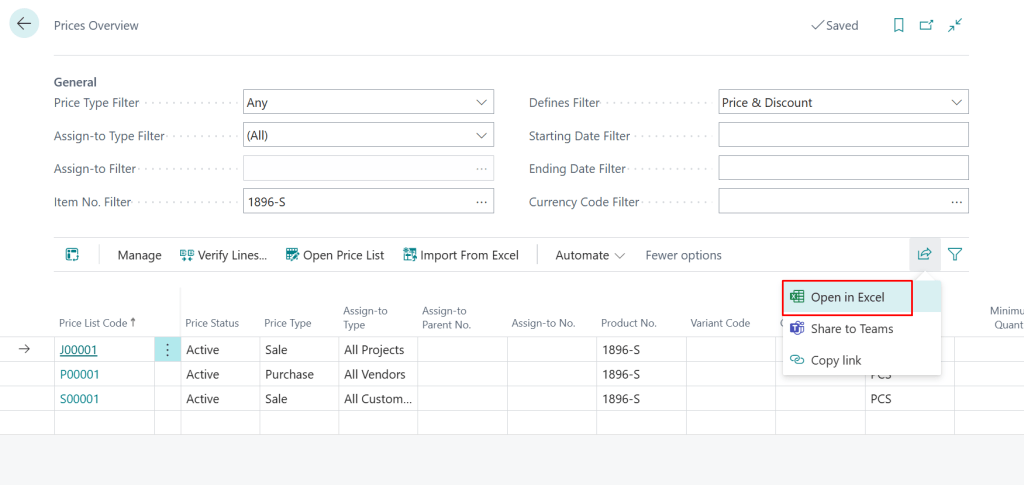
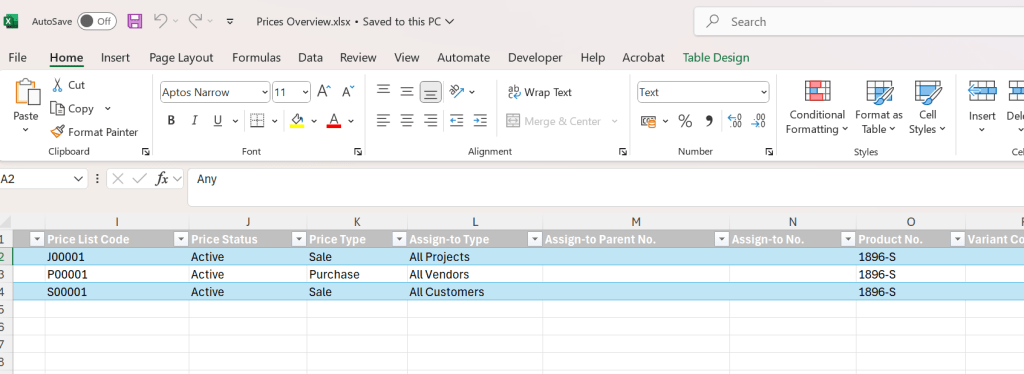
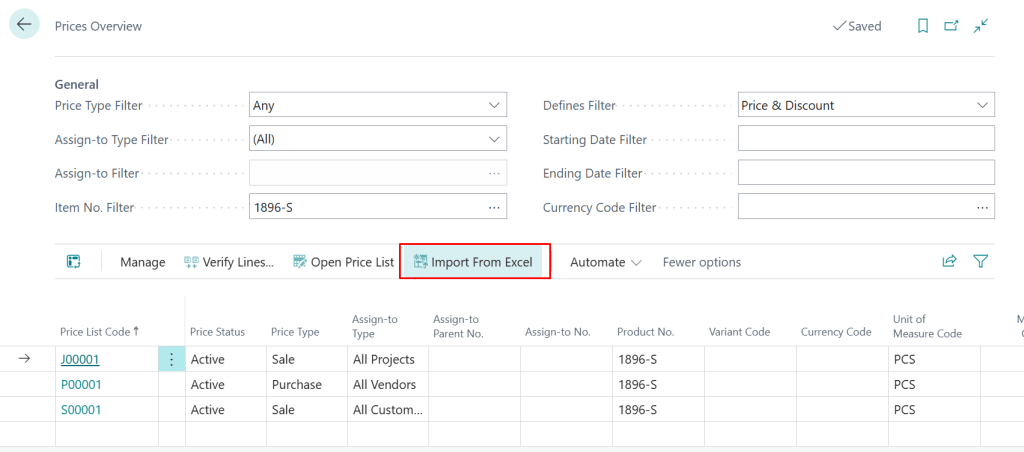
In the Excel the prices can be changed or added and then imported back using the action “Import from Excel”.

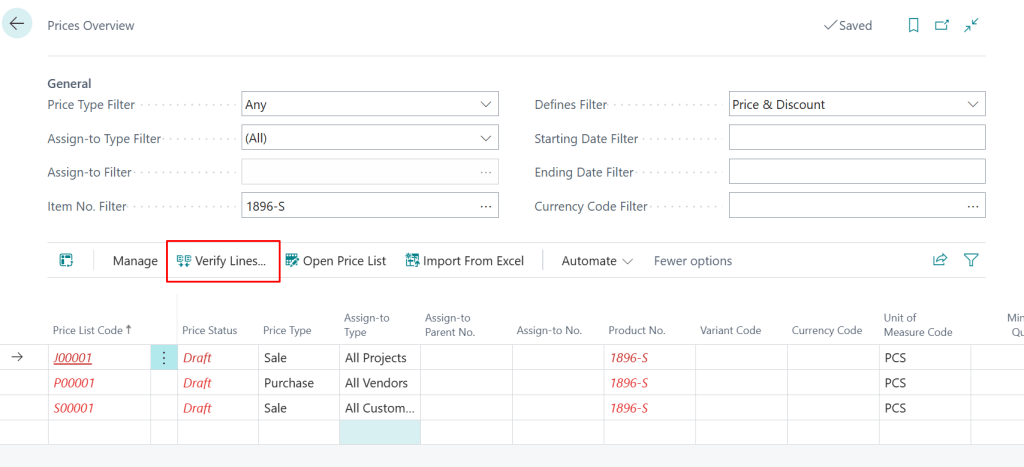
After the prices have been imported, they have to be verified it order to become active.
Are there some pitfalls? Unfortunately yes:
- The import can be done regardless of the filters being entered on a page. We can have prices for 1000 items in excel. Nevertheless, only prices for a single item will be shown on the page. All of the prices will be imported anyway.
- If you remove the price from an excel this will not be reflected during import. So, in order to delete prices Business Central UI should be used further.
- The entry is not as intuitive as I would wish it to be. This is partly due to the construction of the pricing module.
- For simplicity’s sake I have disabled the “Custom Lookup” fields. If you do not know what I am talking about you are lucky. Basically, Microsoft provided some fields in Price List Lines in pairs. Microsoft allowed people build their own Lookups by providing a pair for each relevant field for which Custom Lookup can be created. Those twin fields have the word “Lookup” in its name. I guess most of the customers did not go that way (yet).
- There are probably some more unfinished edges in this piece of customization. If you find some, please let me know.
The app I have provided is not “Product” ready, in my opinion. So, I would not like to make a contribution to the Microsoft Base App yet. I wanted to introduce this idea to users. I want to see if they find it good enough for daily usage. If so we (Community) can talk to Microsoft if something similar would make sense in the standard product.
For now, I would really appreciate any feedback if this piece of code is useful.
 Miljan's Blog