
From time to time, I receive a question if the conditional page break is possible in Business Central when Word Layout is used for a report. And there is a nice German word for this type of answer: Jein. In English: yes and no. That in my book means that in order to achieve somewhat desired result we need to reach for some wizardry stuff which is considered a hack.
What I have met so far most often is a requirement to put some of the document lines on a new page or to put some of the report parts after lines on a new page. Let’s start with deciding dynamically if some Text in the footer should be always displayed on a new page as this is I would say the easier scenario. I will first add a new checkbox on a report extension that extends the sales Order Confirmation:
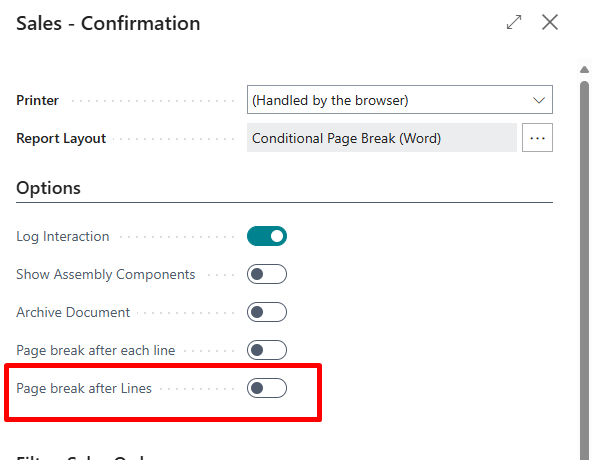
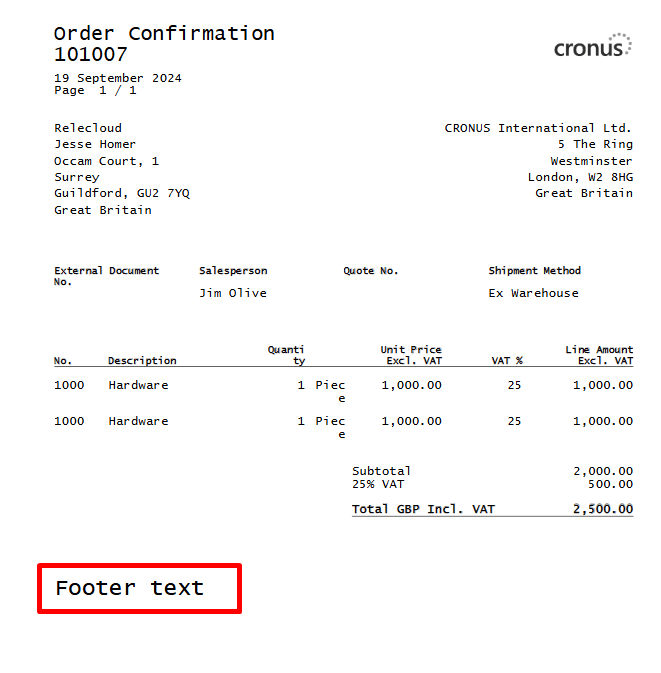
Without the checkbox being set we can observe some Footer Text on a document that I have added in order to demonstrate the part I would like to move to the second page:
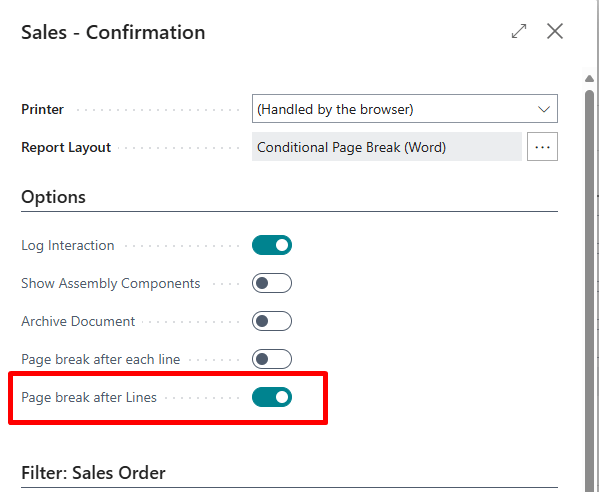
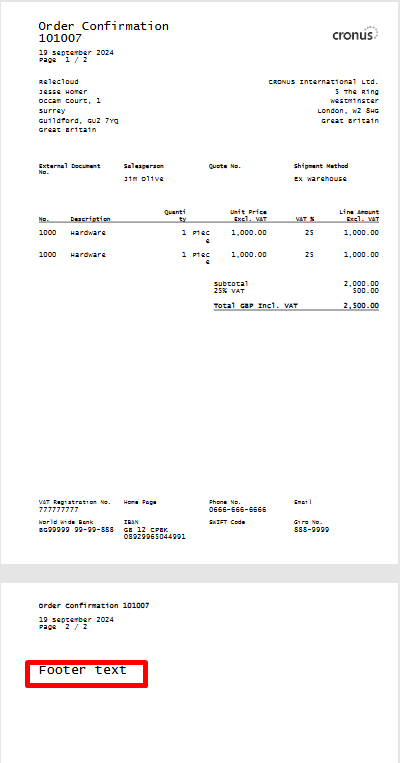
With the checkbox set:
What is the trick? Well probably that I am proficient at googling. Ok, I know you might be irritated with me trying to sound smart so I will just jump to the topic. First, we need one new dataitem in the report:
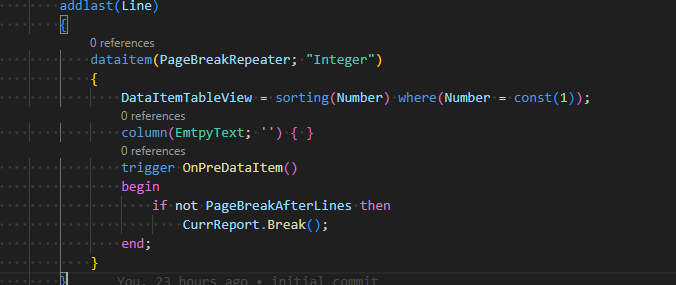
After that we should insert a repeater over this dataitem in the word layout where we need a dynamic page break and then we should use another hidden word feature. Mark the repeater and call the action marked with red arrow in the “Paragraph” menu.
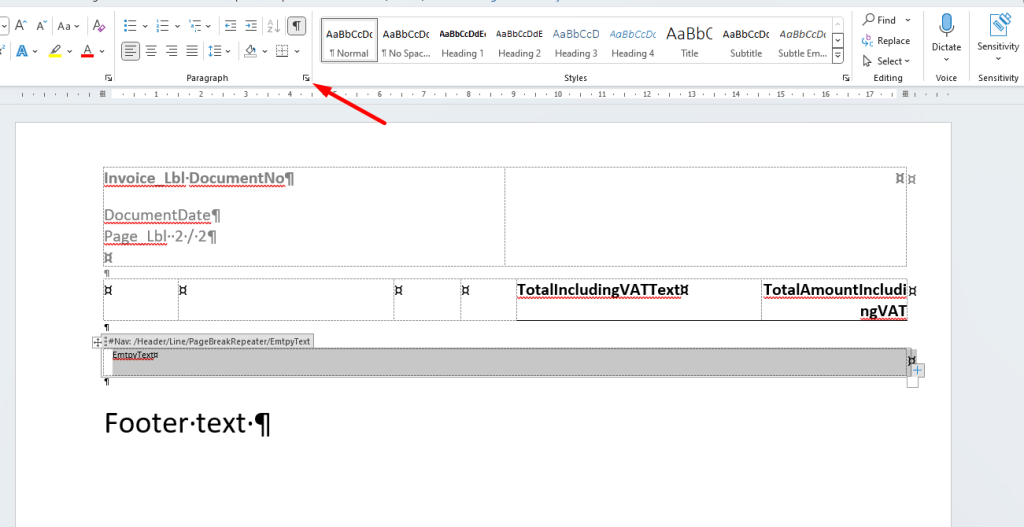
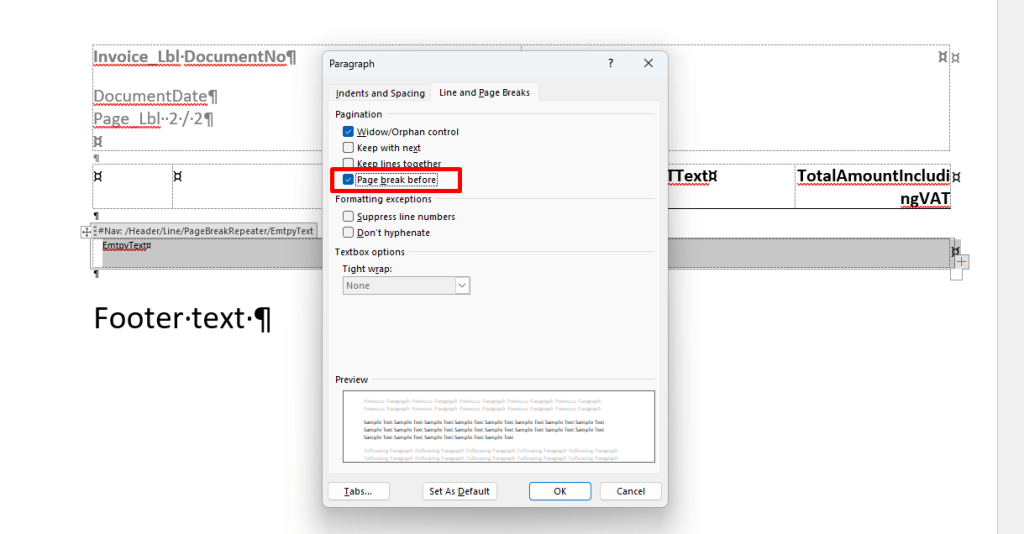
After the option being set you should see that the option got moved to the new page and the black box is at the beginning of the row. Hooray!
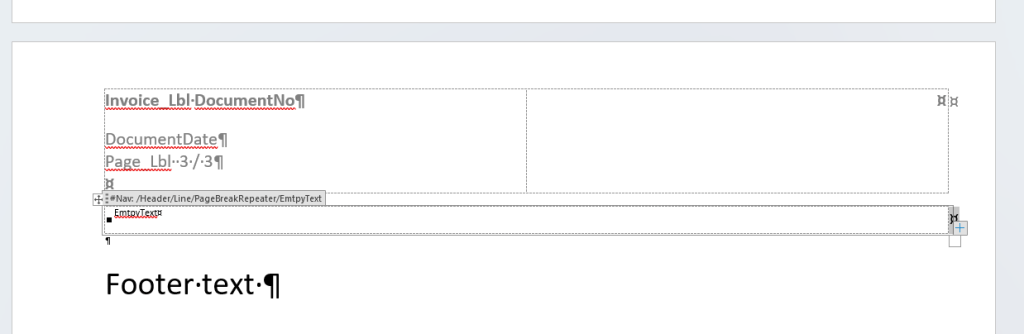
Save at, publish it and check the printout.
Warning: When editing the Word Layout once again and compiling the app it is guaranteed that this black box will disappear. Thus, each time you edit the word layout make sure that you tick the option for this repeater. The similar bug exists with text alignment for cells. Yes, this is a pain in the ass and something that in this moment is suboptimal.
Ok, can you do something similar so that certain document line inserts a page break? Yes. I wasn’t aware this was possible, but it occurred to me that with combination of the hack from my previous post this should be doable. Here is the checkbox:
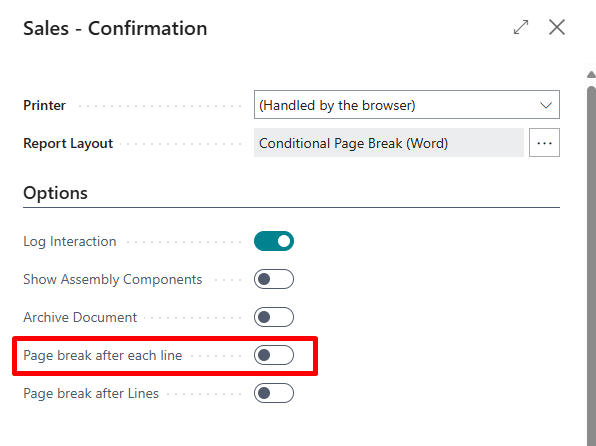
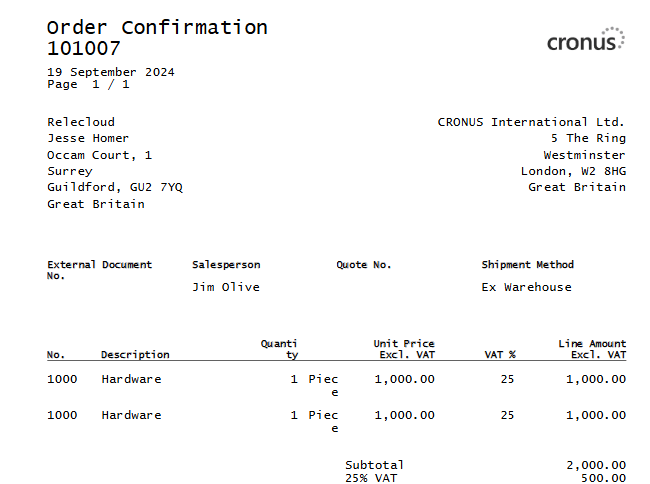
And the lines are of course on the same page:
Now with the option being selected:
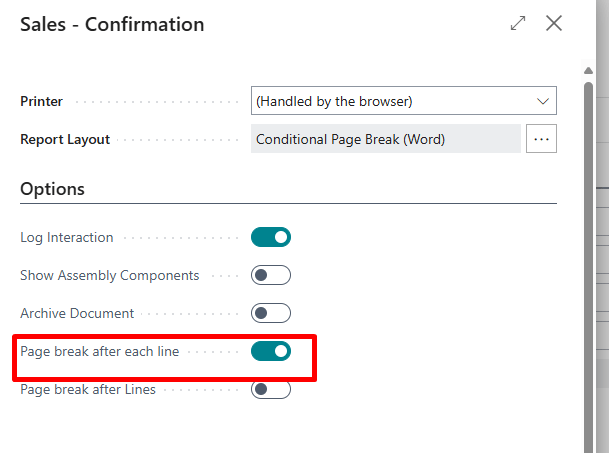
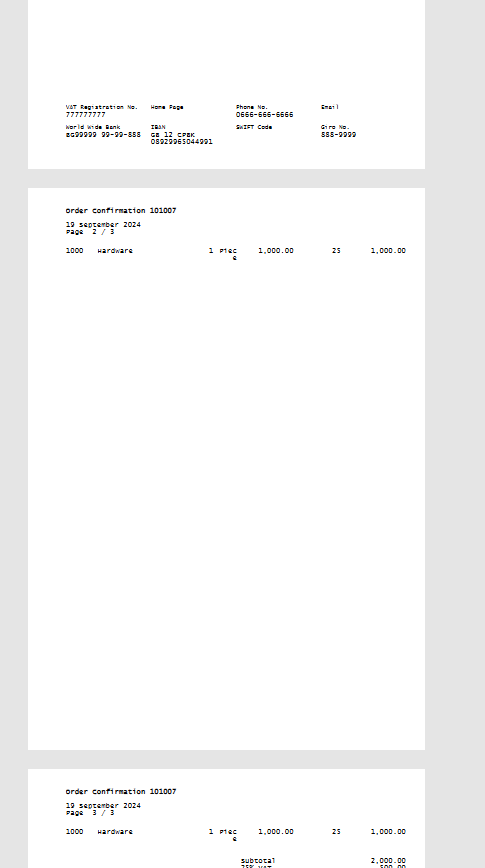
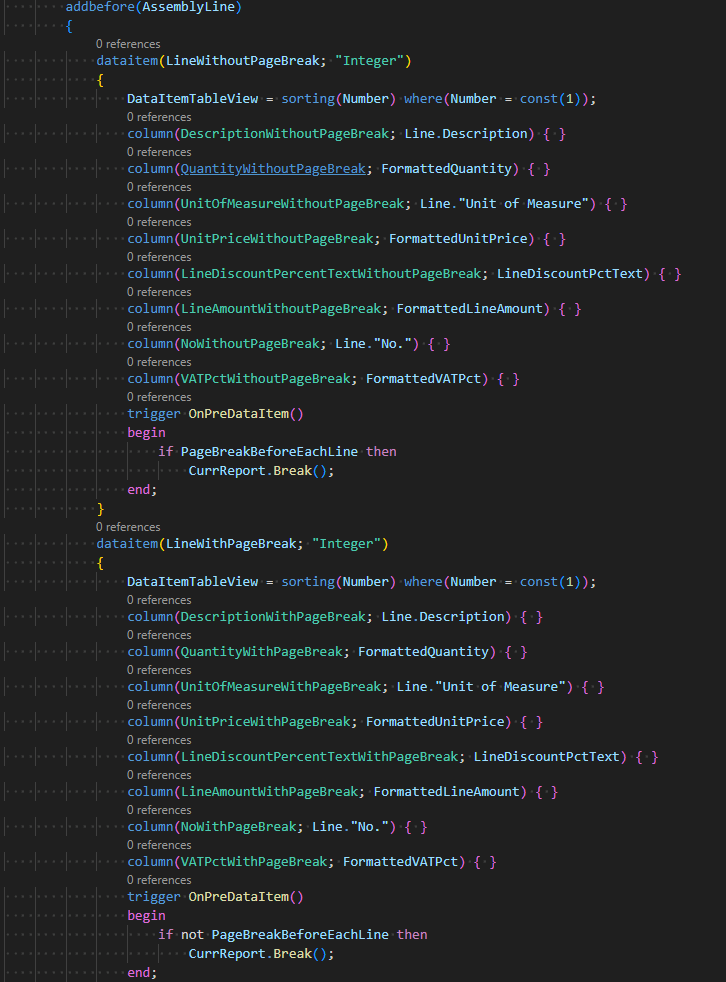
In this case a used two dataitems for printing out the lines:
And I had to put two repeaters nested inside a Line repeater:
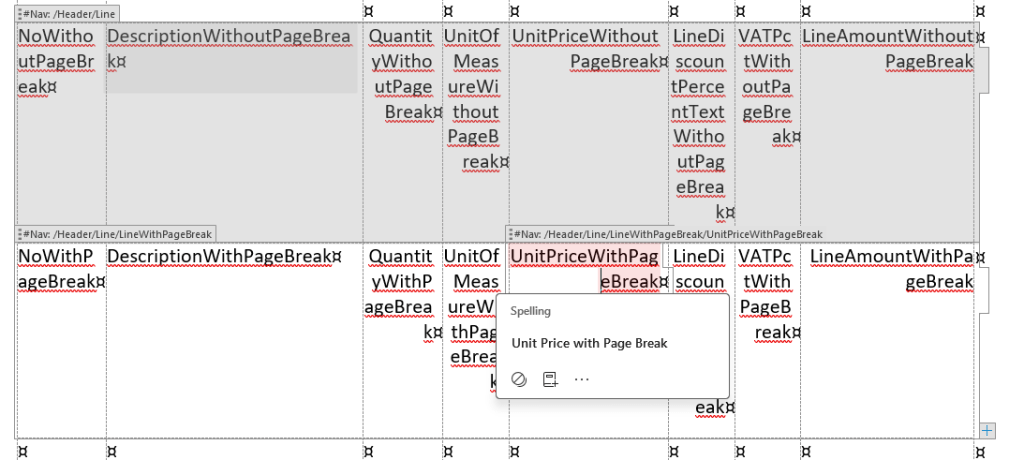
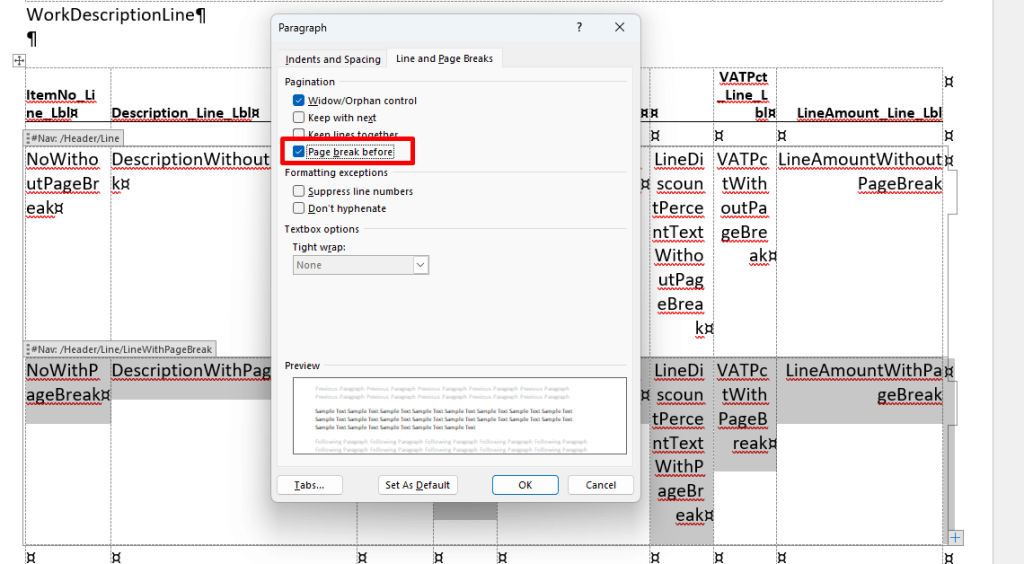
Once again after the option being set the repeater gets moved to the new page. And of course, we need to repeat this step each time the word layout is modified. It is also possible that this page break is put for some lines and not for others.
That’s it. Word is not the perfect tool – that is for sure. But it is at the moment the easiest one delivered with Business Central to be changed by non-developers. The code example can be found on the GitHub.
For my last blog post I received feedback that the conditional formatting could be done using other tricks also. So, I hope that someone else also played with page breaks and there might be other approaches as well.
 Miljan's Blog