Recently Microsoft announced a new feature for Word Layouts which Steve Renders (and maybe some others) described in his blog post:
Seeing Microsoft moving forward with the Word Add-in I thought it would be nice occasion to show one “not so pretty” workaround that enables conditional formatting for Word Layouts. You know, Christmas is coming, and someone might notice this as a good idea and then the add-in might get another cool feature in the upcoming releases of Business Central.
The requirement used as an example is rather simple. In a Sales Order Confirmation report lines should be displayed as in Italic, Bold or as a normal text.
Let’s introduce a new field in sales line:
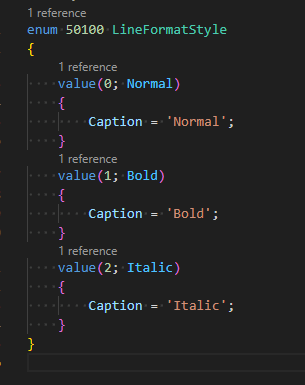
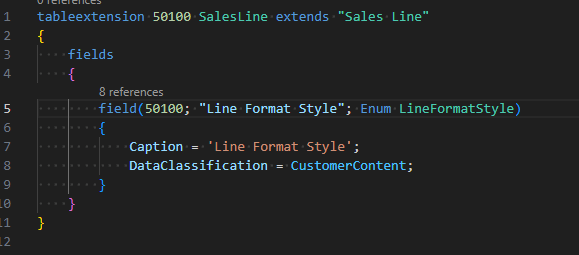
And let’s see how it looks like in the web client.
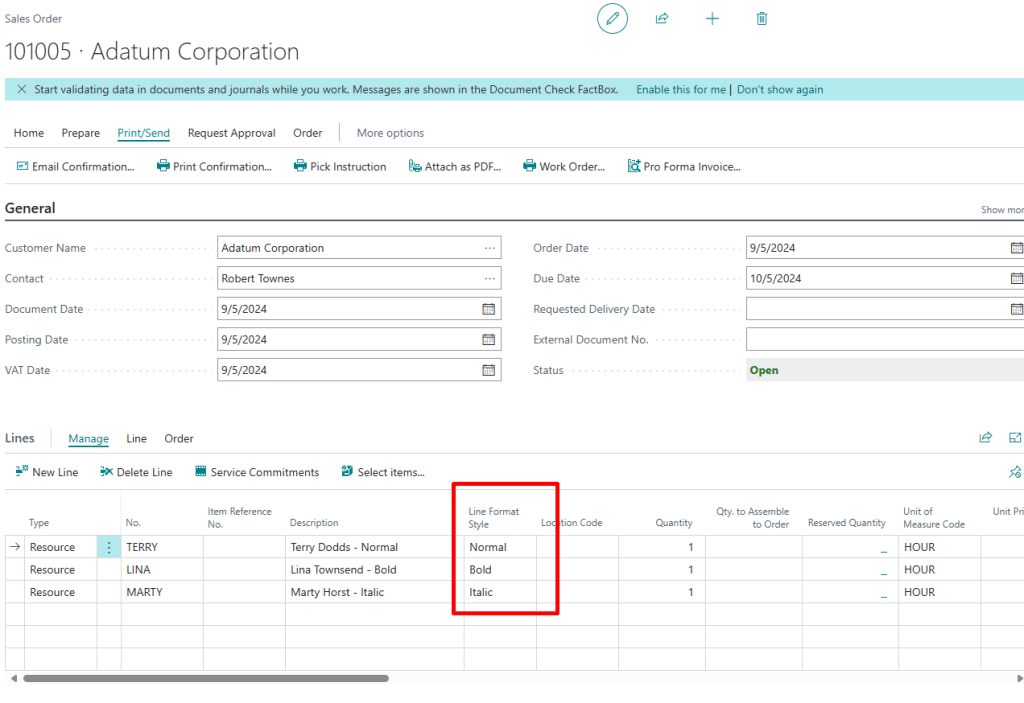
In RDL all that should be done in order to achieve conditional formatting is to use cell properties in a Tablix and set conditional formatting.
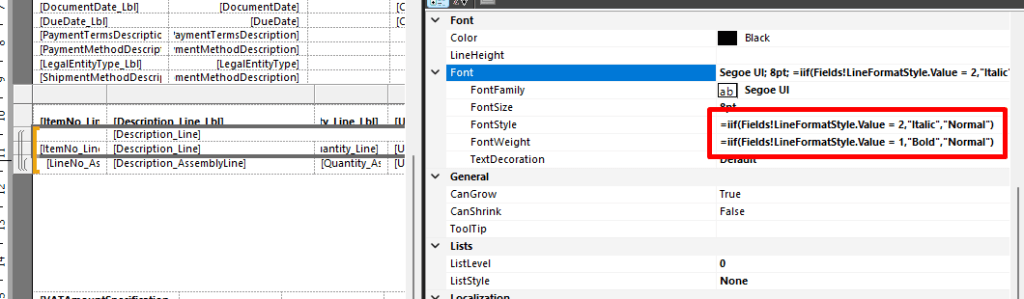
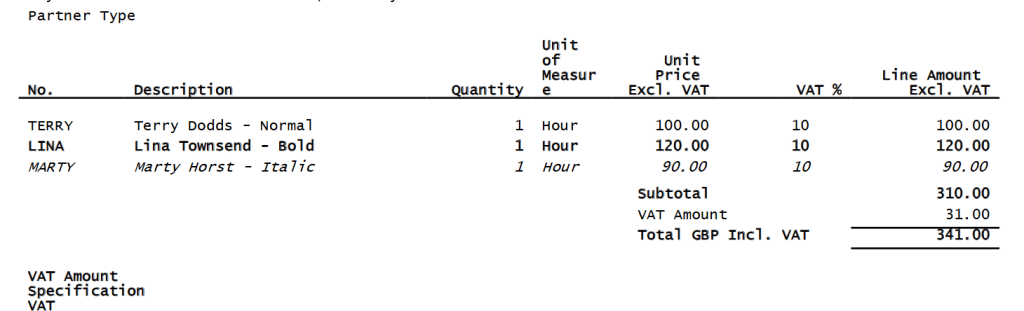
And the printout is as desired.
Conditional formatting for Word Layouts is unfortunately much trickier. Therefore, let’s see what I came up with. I created three new dataitems which are under a Line dataitem, looping maximum once.
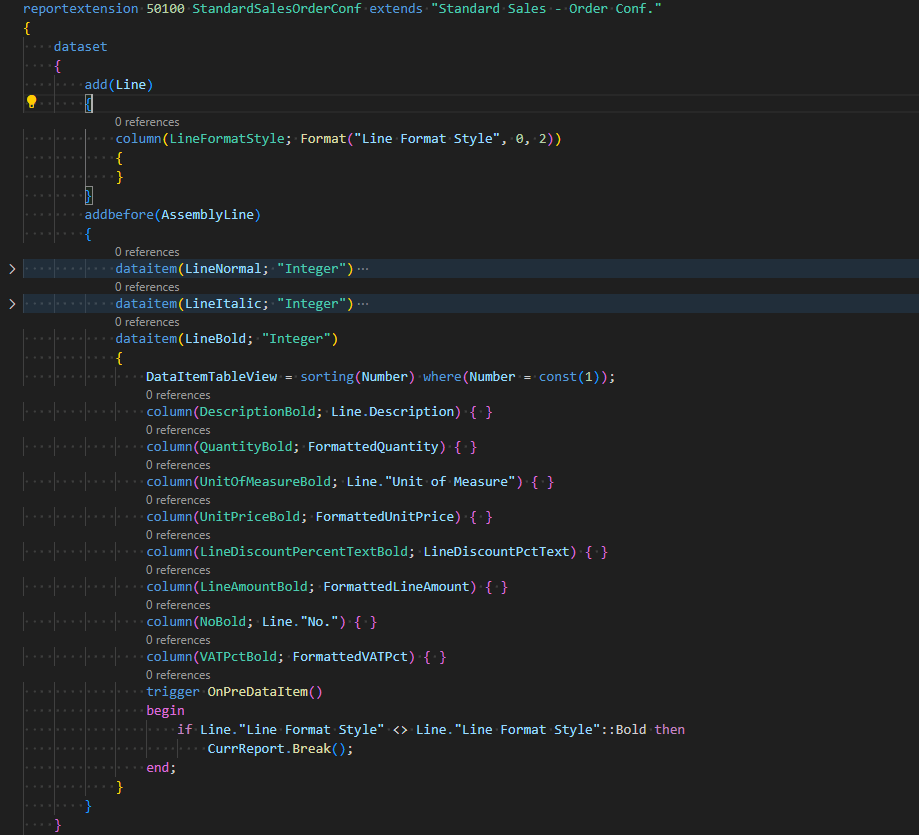
All three dataitems are having the same fields just named differently. Therefore, the downsides are obvious: Dataset size increase and redundance. Now let’s focus on the word layout. It has to have a top-level repeater for Line dataitem and then three nested repeaters inside of a top-level repeater. Not sure if this is clear enough but I can try with a picture.
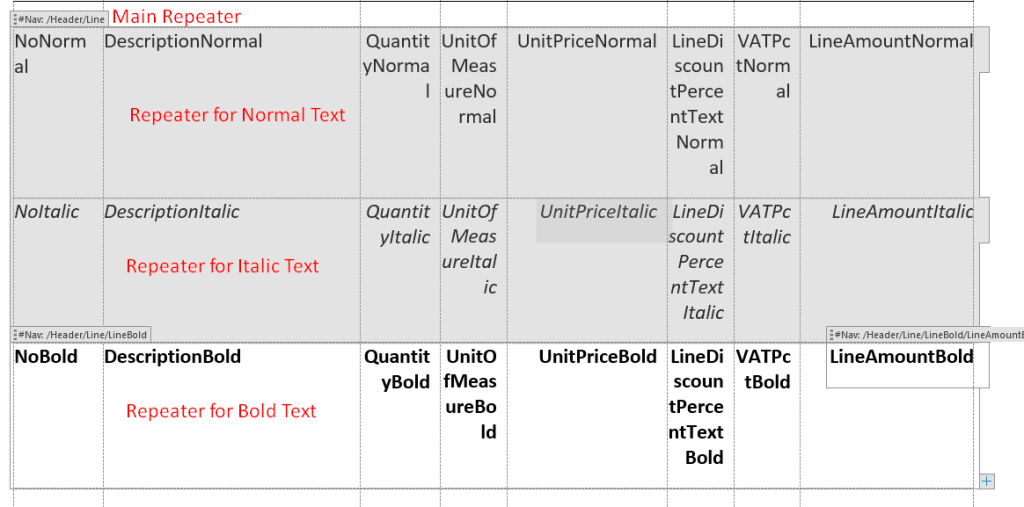
The idea is also quote simple. The repeater will be printed out only if there are lines in a dataitem for which the repeater has been created for. I am therefore exploiting the fact that a repeater can be conditionally printed out. With this principle other conditional printouts can be achieved and we used it for few apps on the AppSource: DYCE Apps. If you want do achieve something fast, just ask the lazy guy – that is me. Here is the Word printout:
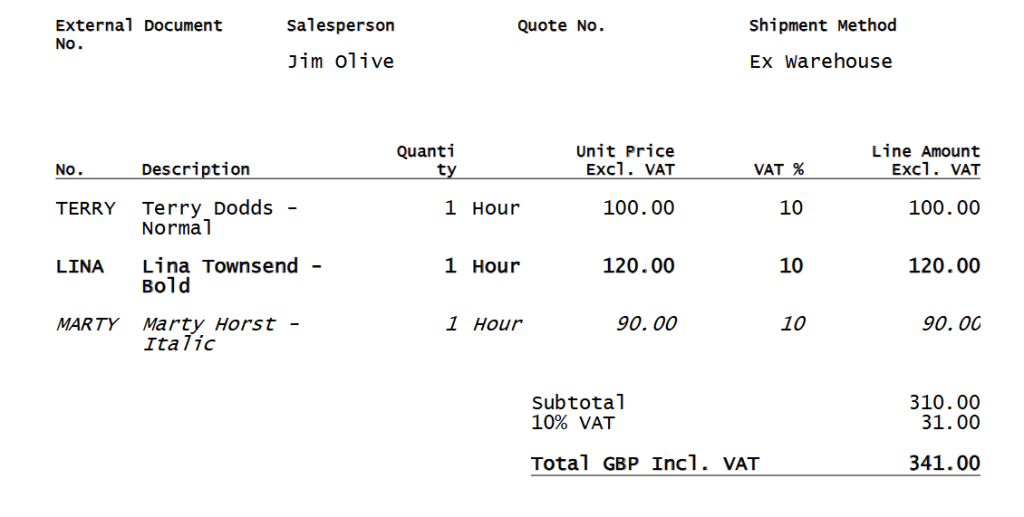
In the end this is from my point of view a nasty workaround and I would love to get it done better in the future. However, if you have this requirement now, you can download the code on the GitHub.
Are there any better alternatives for this scenario? I am aware of the possibility to use Azure Functions in order to mess with XML content of the Word file but that sounds farfetched.
@Microsoft – 😉🙏.
 Miljan's Blog
One thought on “Dynamics 365 Business Central: Conditional Formatting in Word Layout”